

- * Scheduled to be added via a firmware update in October 2026.
1. Streamlining Camera Control and Image Adjustment
Compatible with a Wide Range of Studio and PTZ Cameras
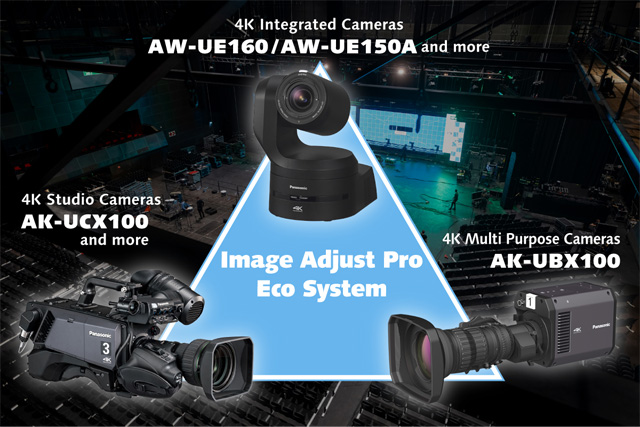
In addition to Panasonic studio cameras, the plugin supports the control of PTZ cameras.* Even in large, complex multi-camera productions where various types of cameras are used, the plugin enables centralized control and image adjustment from a unified software interface, supporting smooth operation regardless of the camera model.
Concurrent Camera Status Monitoring and Adjustment
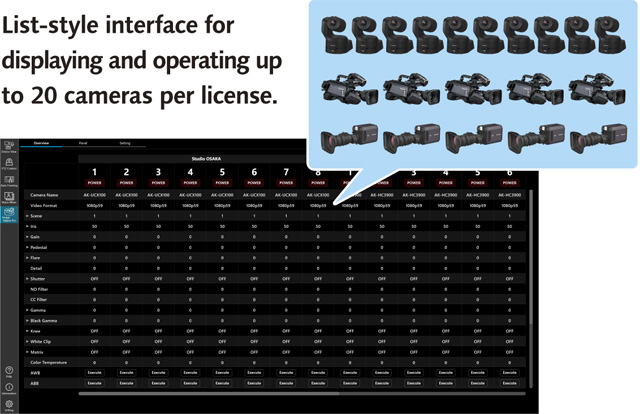
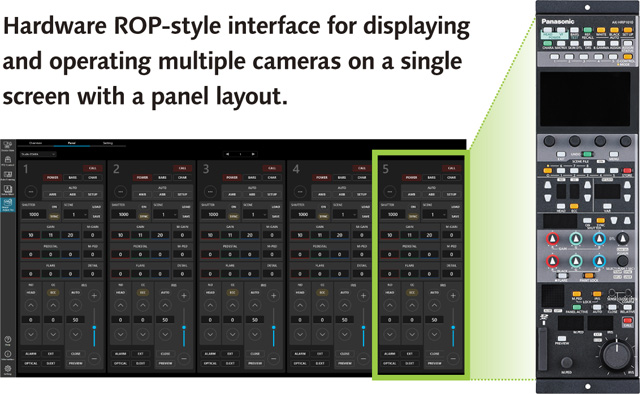
Users can choose from two intuitive interfaces: a list view that displays the status of up to 20 cameras per license, and a panel view that emulates a hardware ROP to display and control multiple cameras. In IP-based systems, the plugin and hardware ROPs can operate in parallel to provide seamless, tailored control for the specific needs of each production site.
- Note: Screens shown are under development, so final specifications may vary.
Overview Screen
Panel Screen
Auto Color Matching*1
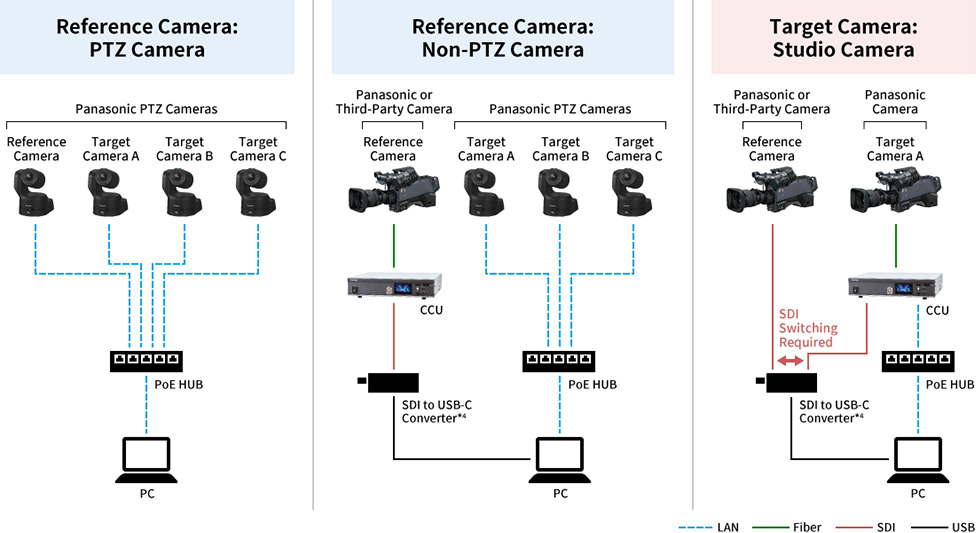
The auto color matching automatically adjusts the color tones of multiple cameras to match the footage from a preset reference camera. In traditional color matching workflows involving multiple cameras on set, it was necessary to adjust gamma, matrix, and color correction settings while monitoring the footage from each camera. By automating the color matching process using a color chart, this feature reduces the time required for pre-shoot setup, allowing crews to focus on filming and directing rather than on adjustments. Furthermore, with Panasonic remote cameras, angle-of-view adjustment relative to the color chart is also automated, delivering even greater efficiency. Additionally, since color matching can be performed with a single click, the system is easy to operate even without specialized knowledge. In addition, the system supports color matching using cameras from other manufacturers as the reference camera.
GUI Image
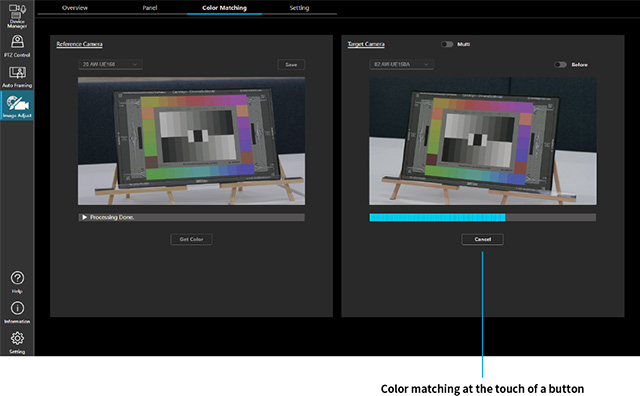
- *1: Scheduled to be added via a firmware update in October 2026.
- * Only Panasonic cameras support color matching using a reference camera, but the reference camera can be a third-party model.
- * Some features are still under development, so specifications, screens, supported models and release dates are subject to change.
- * Automatic color matching is available on models compatible with Image Adjust Pro (AW-SF600).
- * An SDI-to-USB-C converter is required for SDI connections.
2. Flexible Operation Without Space Constraints
Accessible from Multiple PCs and Tablets
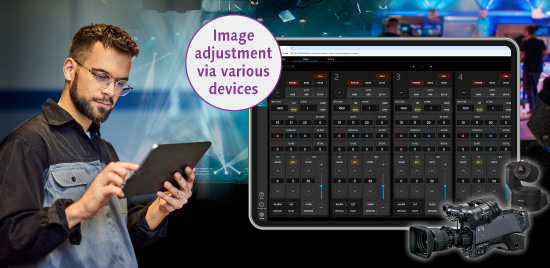
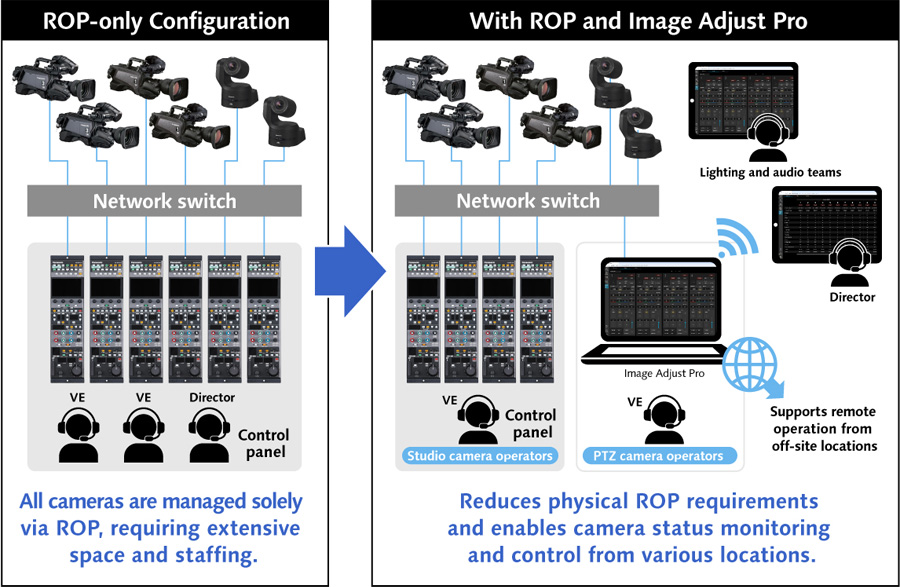
In addition to the PC where the plug-in is installed, the plugin can be accessed from multiple devices on the same network, such as laptops and tablets, enabling decentralized operation regardless of ROP placement. This allows directors to centrally monitor camera status and manage all cameras, and lighting and other technical staff to adjust settings directly from their stations. The result is a flexible, collaborative workflow that eliminates physical limitations and optimizes operational efficiency.
Optimized Space Utilization and Streamlined Operation
This plugin offers image adjustment capabilities equal to those of the Panasonic AK-HRP1010 hardware ROP. For example, in production environments with a large number of cameras, frequently used main cameras can be controlled via a hardware ROP, while other units are operated with the plugin, reducing the required number of physical ROPs. The plugin also enables centralized adjustment of all system-connected cameras, supporting the efficient use of limited workspaces in compact control sites.
Three GUI Layouts Tailored to Various User Needs
Three distinct GUI options are available for the control panel: a hardware-style layout that mirrors the AK-HRP1010’s button configuration; a graphical layout reminiscent of video editing software; and a customizable UI that displays only essential controls.* These flexible options cater to both seasoned ROP operators and users with limited experience, supporting intuitive operation across a wide range of workflows.
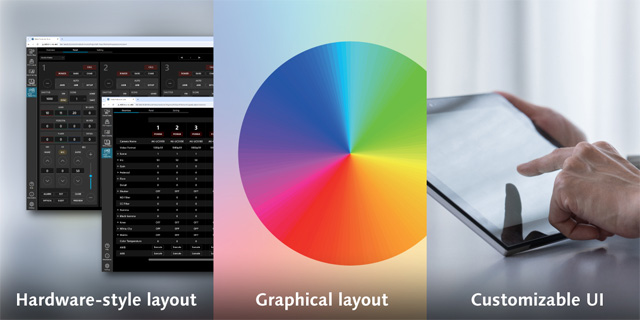
- * The hardware layout interface is currently under development, so final specifications may differ. The graphical layout and custom UI are planned for future updates. Images are for illustrative purposes only.
